Your Ai employee for data entry
It reads your PDFs and images, types them into a perfect Excel or CSV sheet, and checks its own work — in minutes, not days.
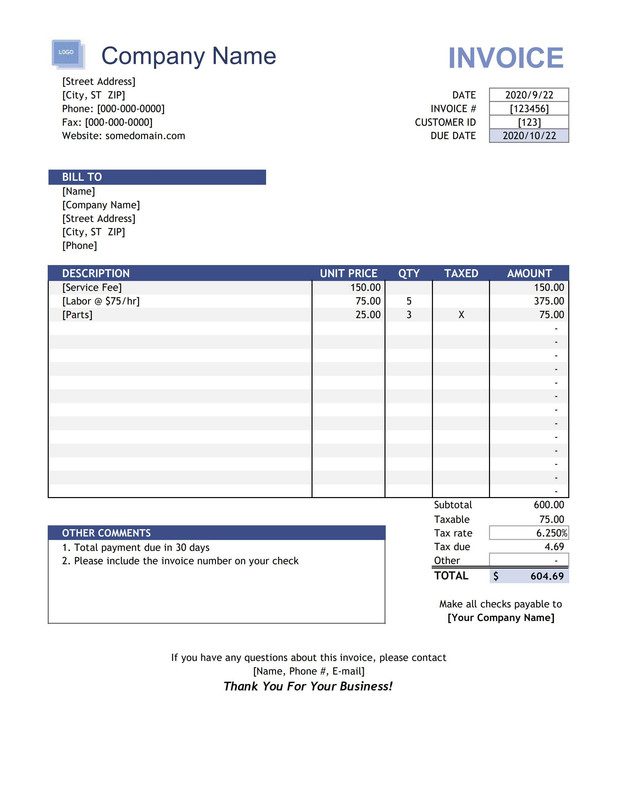

Reading pdf
| A | B | C | D | |
|---|---|---|---|---|
| 1 | Invoice | Vendor | Date | Amount |
| 2 | ||||
| 3 | ||||
| 4 | ||||
| 5 | ||||
| 6 | ||||
| 7 | ||||
| 8 | ||||
| 9 | ||||
| 10 | ||||
| 11 | ||||
| 12 | ||||
| 13 | ||||
| 14 | ||||
| 15 | ||||
| 16 |
Typing excel
Quick Demo
Why teams switch
An employee that never asks for a raise
All the output of a data-entry team, none of the overhead. Completely fair use, no loss on your side.
Cheaper than a hire
From ₹3 a page. No salary, no PF, no laptop, no notice period.
Works 24/7
Nights, Sundays, festivals. No leave applications, no salary hikes.
Industry-leading accuracy
99.2%+ on clear pages. Tested on thousands of pages. Plus an automatic audit pass on every file.
Your data stays yours
Processed in memory, never stored on our servers after the job.
How it works
Three steps. That's the whole job.
No templates to draw, no zones to map. Tell it what you want, approve the plan, download the sheet.
Upload
Drag in PDFs or images — digital, scanned or a mix. Up to 500MB at a time.
Approve the plan
Say what columns you want in plain English. Check the sample rows, then approve.
Download
Watch the sheet type itself live, then export a clean Excel or CSV file.
Features
Built for the documents that actually land on your desk
Powered by top-class AI models, wrapped in an interface anyone in your office can use on day one.
PDF → Excel / CSV
Invoices, statements, ledgers, reports, price lists — name your columns and it builds the table.
Image → Excel / CSV
Photos of bills and scanned pages are read by a vision model, so mixed files work end to end.
Human approval on critical steps
You review the column plan with sample rows before anything runs. Credits deduct only after you approve.
Automated refunds
If a conversion fails, the credits come straight back to your balance with the reason saved.
160+ languages
Documents and the app interface both work in the language your team actually reads.
Multiple logins supported
Your whole team can work from their own accounts, on their own devices.
Works on every device
Windows, macOS, Android, iOS — laptop or phone, in the browser. Nothing to install.
Secure by design
Firebase authentication, RS256 JWT sessions, HTTPS enforced everywhere, zero data retention.
Security
Your uploaded data never stays on our server
High-grade security with full transparency — because the documents you convert are your business, not ours.
Zero data retention
- Files processed in memory only
- Nothing stored after processing
- No third-party data sharing
Identity you can trust
- Firebase Authentication (Google infrastructure)
- RS256 JWT authentication
- Multi-layer identity verification
Encrypted end to end
- 256-bit SSL/TLS encryption
- HTTPS enforced on all connections
- Google Safe Browsing verified
99.9% uptime infrastructure · Google Safe Browsing verified · Zero data retention policy
Pricing
Pay only for the pages you process
Clear, volume-based pricing. Buy credits once, use them whenever you want.
1 credit converts 1 page. The more credits you buy, the lower your per-page rate.
Savings
See what you pay and what you save
Slide to your monthly page volume — the cost and the manual hours you skip update instantly.
FAQ
Questions people ask before signing up
What does Entrio Ai actually do?
You upload PDFs or images, tell it which columns you want in plain English, approve the plan, and it types out a finished Excel or CSV sheet for you — including scanned pages.
How much does it cost?
1 credit = 1 page. Credits cost ₹6 down to ₹3 per page depending on how many you buy, and every new account gets 50 free credits. Credits never expire.
Is my data stored on your servers?
No. Files are processed in memory only and are never retained after processing. There is no third-party data sharing, and everything travels over 256-bit SSL/TLS.
How accurate is it?
99.2%+ on clear pages. Tested on thousands of pages. Every finished file also goes through an automatic AI verification pass that re-checks each cell and fixes mistakes before you download.
What if a conversion fails?
Credits are refunded automatically for failed conversions, and credits are only deducted after you approve the plan. Consumed credits are non-refundable.
How fast is it?
Around 10 minutes for 100 digital PDF pages on average, and you can drop dozens of files in at once.
Support
Real people, 24/7
Stuck at 2am on a month-end close? Message us — plus an in-app AI assistant that knows your account.
Hire your Ai employee today
50 free credits are already waiting in your account. Convert 50 pages before you spend a rupee.
Open Entrio AiSet up in 60 seconds Files never stored Automated refunds